 COME
COMECOME Referral Progress: Check the Milestone, Not the Download
Referral progress follows the friend's qualifying account actions. A saved APK or a completed installation does not prove that a sign-up or later reward milestone has been completed.
Identify the reward you are asking about
The inviter's first reward is labelled 30 Bonus for the friend's sign-up. The later 80 Cash reward requires the friend to make any deposit and play a first Mega Contest, or reach ₹1,000 effective turnover. Begin by naming which of these stages you expected.
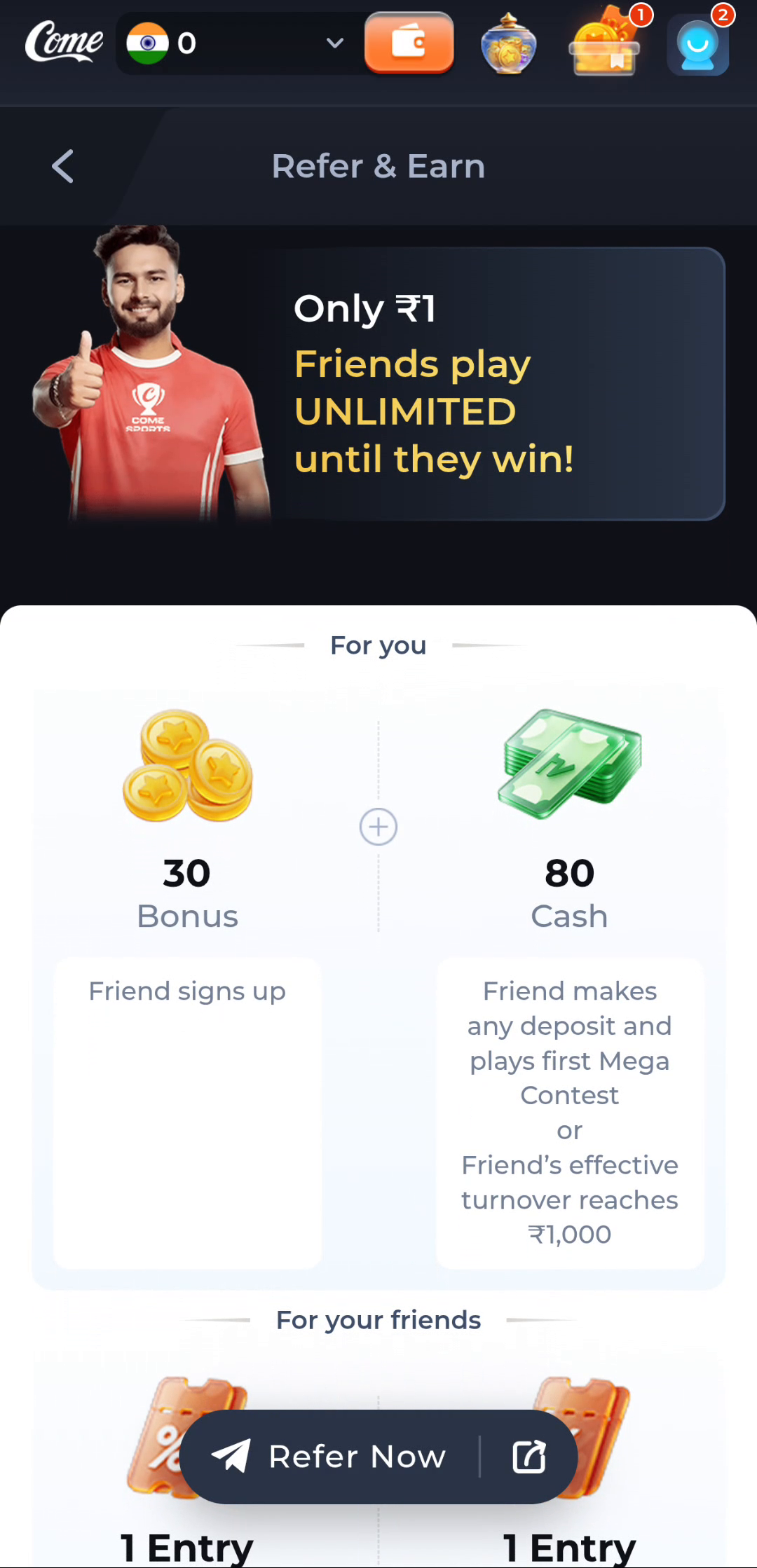
A single statement such as “my friend downloaded” does not identify either milestone. Downloading is a device action. Sign-up and qualifying activity are account actions with their own records.
Preserve the referral relationship
The offer's explanation uses a referral link or code to connect a new player to the inviter. Review the legitimate relationship in Refer & Earn and keep the relevant account context. Opening many copies of the link or saving multiple files does not create additional friends or milestones.
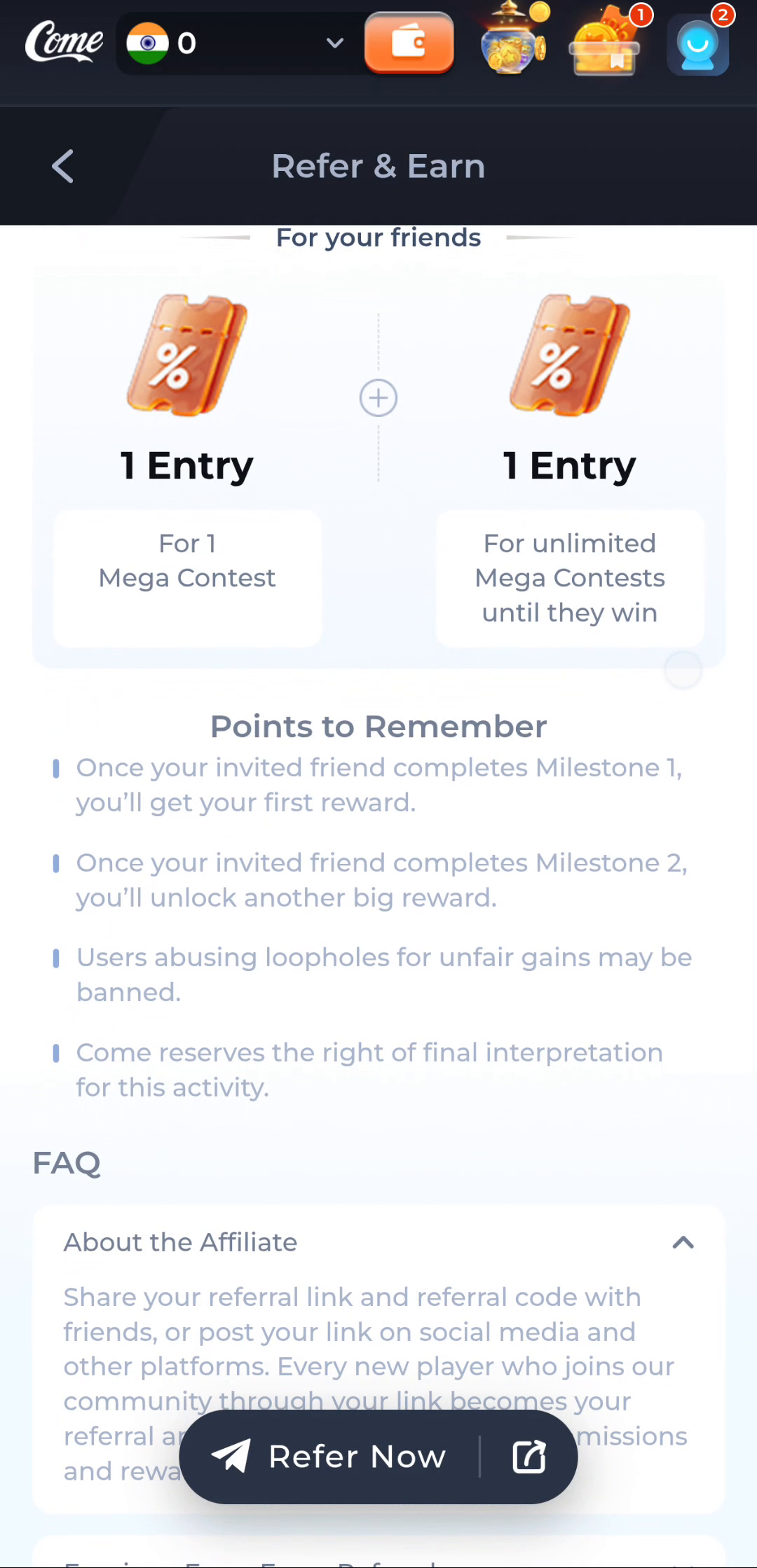
The Points to Remember ties rewards to completed milestones and warns about misuse for unfair gains. Follow the stated activity rules rather than attempting artificial sign-ups or duplicate-account tactics.
Read the second condition in full
The deposit-and-first-Mega-Contest route contains two actions. The other route concerns effective turnover reaching ₹1,000. Do not replace effective turnover with deposit amount, and do not omit the contest action from the first route.
For a hypothetical example, a friend's completed sign-up answers the first-stage question. To ask about the later reward, identify the additional qualifying activity and the account status. This example does not assert that a specific reader has completed it.
Keep reward labels intact
30 Bonus and 80 Cash are not one unconditional cash amount. Friend entry benefits are also shown separately under For your friends. The recipient and reward type need to remain attached to the condition.
A pending-looking display should be read with those details. Do not call an account balance wrong merely because it is not the sum of every promotional number visible on the screen.
Ask a precise status question
Retain the milestone, the relevant time, the action believed to qualify and what the reward record shows. Use Contact CS or Customer Center through the service. Do not send a password, one-time code, UPI PIN or full payment credentials.
The reward cards explain qualification but do not give this guide an exact crediting or withdrawal deadline. Ask about the actual account status rather than inventing a time promise from a screenshot.
Keep the APK task separate
If the friend cannot install or open the app, use the Download or first-open guide for that symptom. Resolving a device issue helps the friend reach the service; it still does not replace the offer's qualifying account actions.
Know when to stop
The progress question is ready when you can identify the referral relationship, milestone, qualifying action and current account record. Use that information for a status query instead of repeating downloads.